
Email2DB3.0.888 - Download
You'll be able to download in few seconds.
Publisher Description
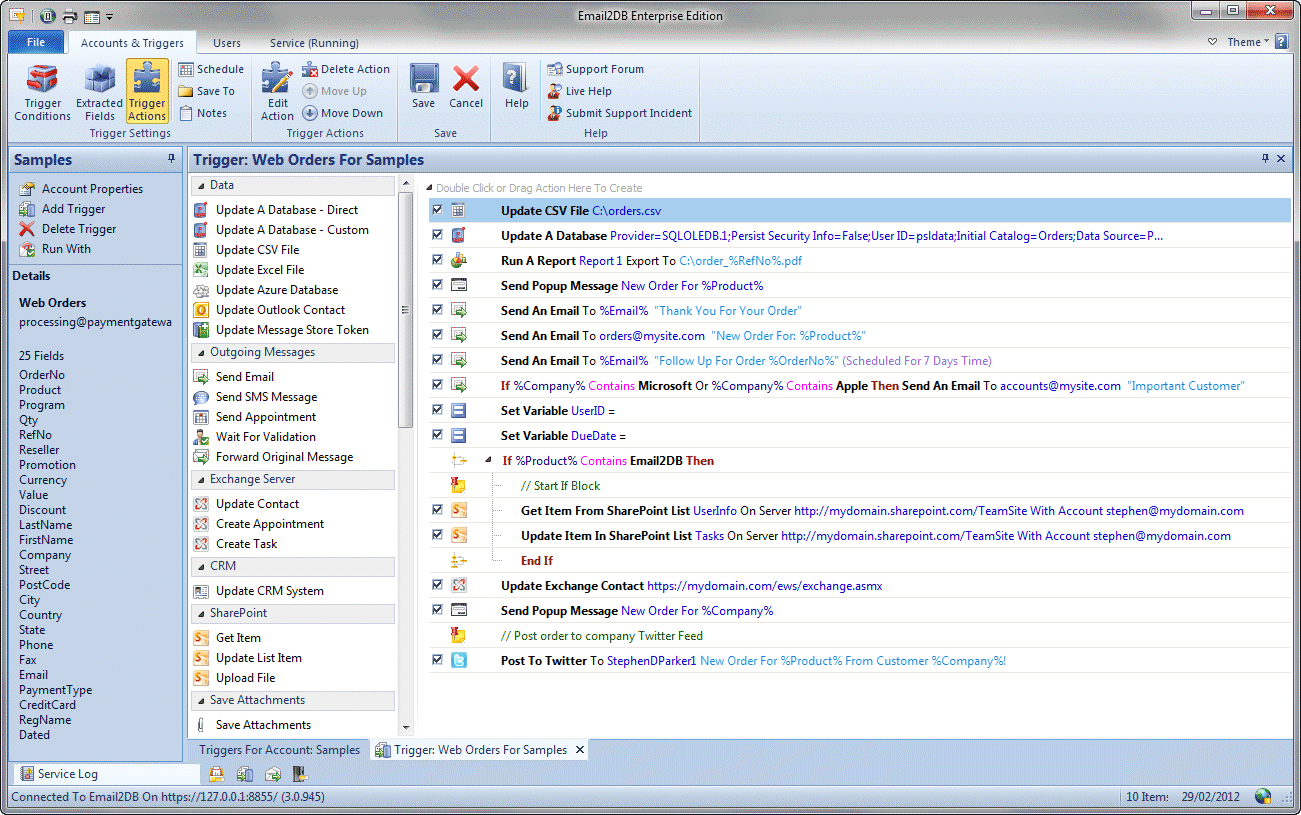
Email2DB is an email parser and auto responder. It parses email messages and extracts field data to update back end databases and to send auto-response emails and SMS text messages. Email2DB is ideal for any form-based emails such as orders, payments and web site feedback forms etc. Email2DB can read emails from POP3, IMAP and Exchange Servers plus directly from Microsoft Outlook 2003 folders. It also has a built-in mail server allowing emails to be sent directly to it.
Email2DB can update any data source available on your PC, including: SQL Server, MySQL, Access plus any ODBC compliant database.
Email2DB can also run additional actions in response to emails including:
- Update Salesforce & Microsoft Dynamics CRM entities.
- Post to Twitter.
- Update SharePoint sites.
- Run custom reports and save reports to PDF, HTML, RTF, TIF and Excel files.
- Save attachments to specific folders.
- Print PDF attachments.
- Send multiple custom emails to any addresses extracted from the original.
- Send multiple custom SMS text messages.
- Send multiple custom fax messages.
- Send scheduled email follow up messages on pre-defined dates in the future.
- Update Outlook 2003/2007/2010 Contact records.
- Post data to a web page.
- Run custom actions using the built-in Visual Basic compatible scripting language.
The Email2DB Server runs as a service on your PC and does not interfere with the normal email flow.
About Email2DB
This Other Email Tools program is available in English. It was last updated on 02 November, 2026. Email2DB is compatible with the following operating systems: Windows.
The company that develops Email2DB is Parker Software. The latest version released by its developer is 3.0.888.
The download we have available for Email2DB has a file size of 47.2 MB. Just click the green Download button above to start the downloading process. The program is listed on our website since 2012-04-16 and was downloaded 0 times. We have already checked if the download link is safe, however for your own protection we recommend that you scan the downloaded software with your antivirus. Your antivirus may detect the Email2DB as malware if the download link is broken.
How to install Email2DB on your Windows device:
- Click on the Download button on our website. This will start the download from the website of the developer.
- Once the Email2DB is downloaded click on it to start the setup process (assuming you are on a desktop computer).
- When the installation is finished you should be able to see and run the program.
Program Details
System requirements
Download information
Pricing
Version History
version 3.0.888
posted on 2012-04-16
version 1.9.290
posted on 2007-02-20
Ability to send SMS text messages.
Disclaimer
External Download
We do not host Email2DB on our servers. We did not scan it for viruses, adware, spyware or other type of malware. This app is hosted by the software publisher and passed their terms and conditions to be listed there. We recommend caution when installing it.
The external download link for Email2DB is provided to you by apps112.com without any warranties, representations or guarantees of any kind, so access it at your own risk.
If you have questions regarding this particular app contact the publisher directly. For questions about the functionalities of apps112.com contact us.
